Talking avatar videos from an idea or a script
A lifelike avatar presents your message on camera with a natural voice, lip-synced speech, captions and music. Choose a ready-made avatar or create your own from a single photo.
From message to presenter-led video in four steps
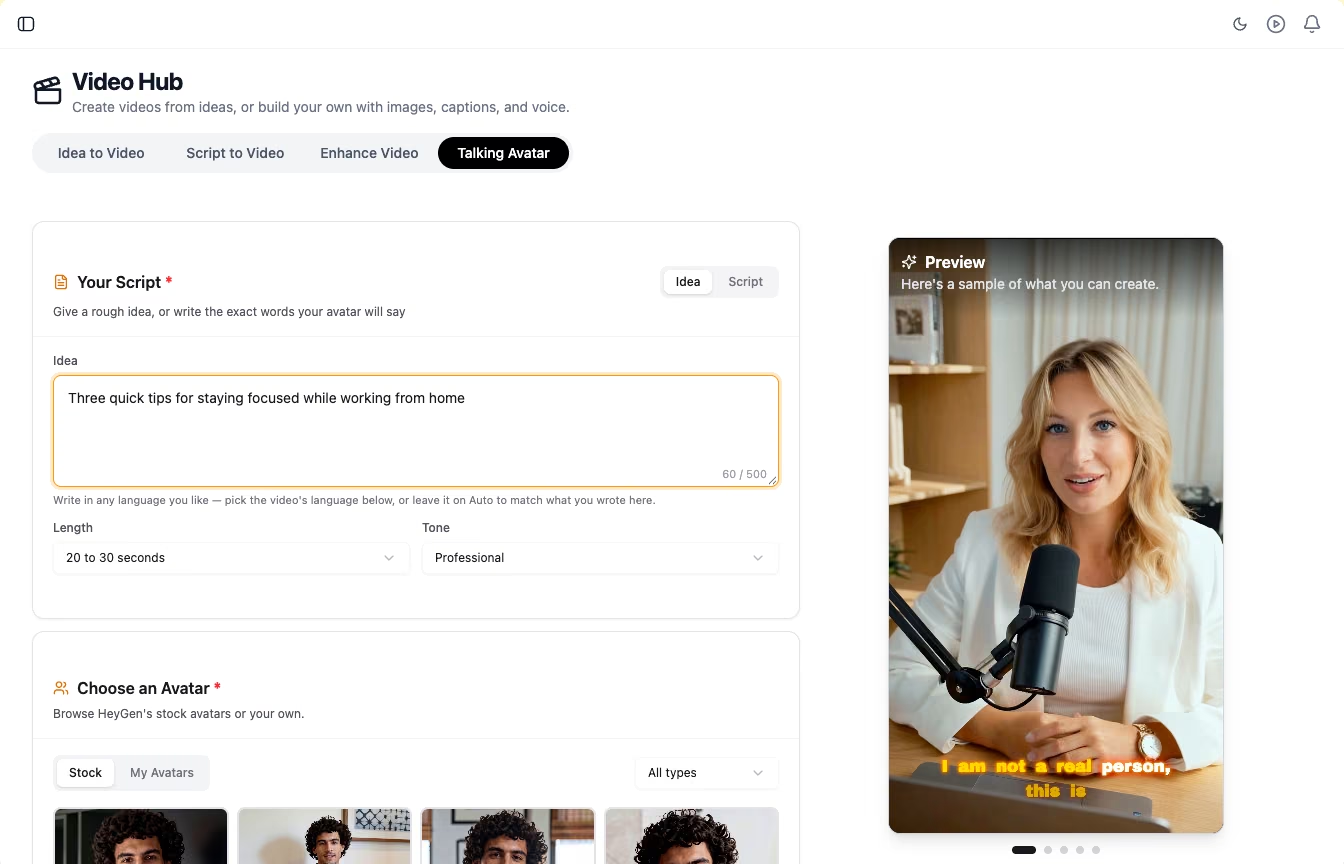
Write an idea or paste a script
In idea mode the AI turns a rough thought into a short spoken script. In script mode the avatar reads your exact words, word for word.
- Idea mode: the AI writes the script from your idea, at the length and tone you choose
- Script mode: your text is read exactly as written
- Enhance with AI to polish a script, or Translate to convert it into another language
Choose your avatar
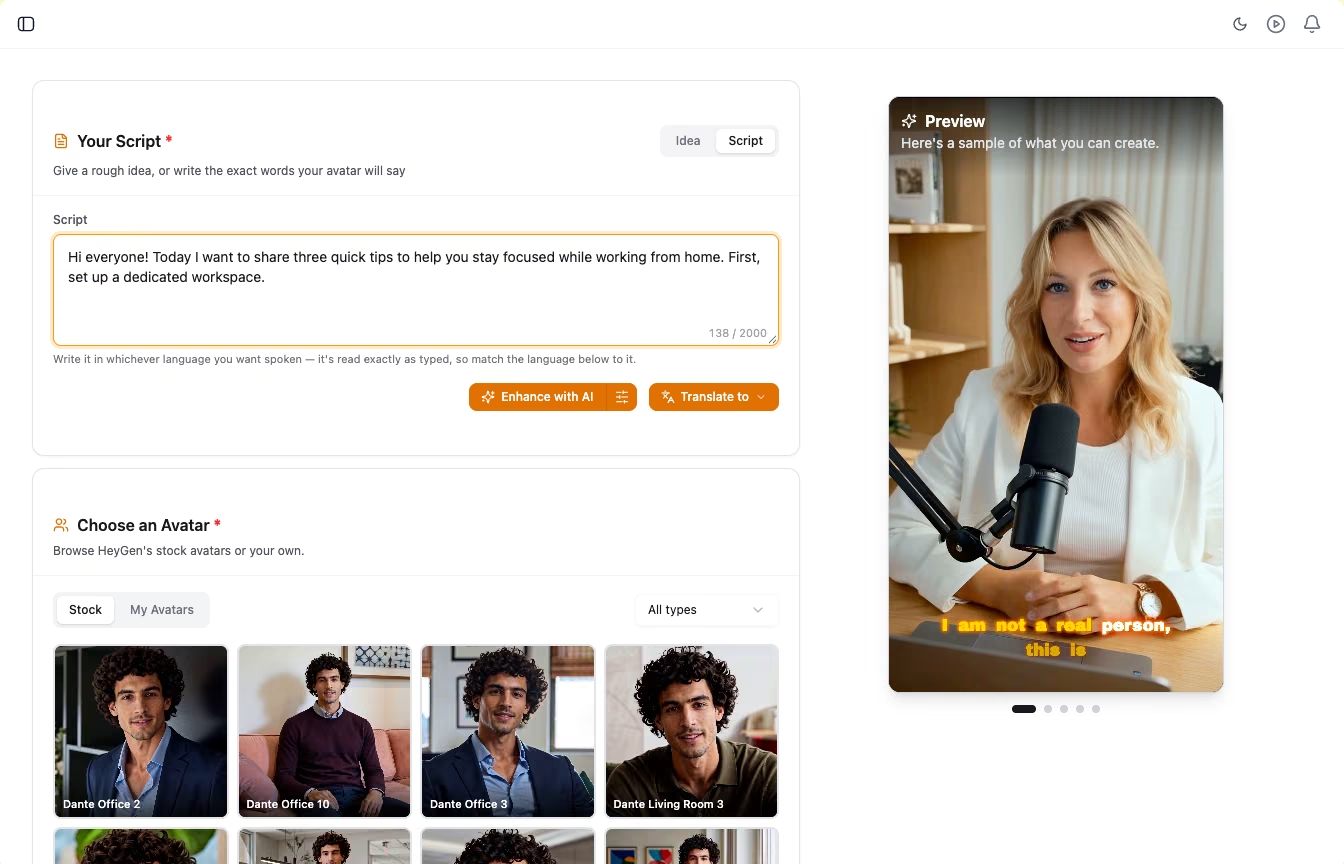
Pick the face that presents your video. Browse the ready-made avatar library, or create your own avatar from one clear photo.
- Ready-made library: filter by studio, digital twin or photo avatars
- Your own digital twin: upload one clear, front-facing photo and give it a name
- Portrait 9:16, landscape 16:9 or square 1:1
- Coming soon: build a digital twin from a short video, and clone your own voice
Set language, voice and captions
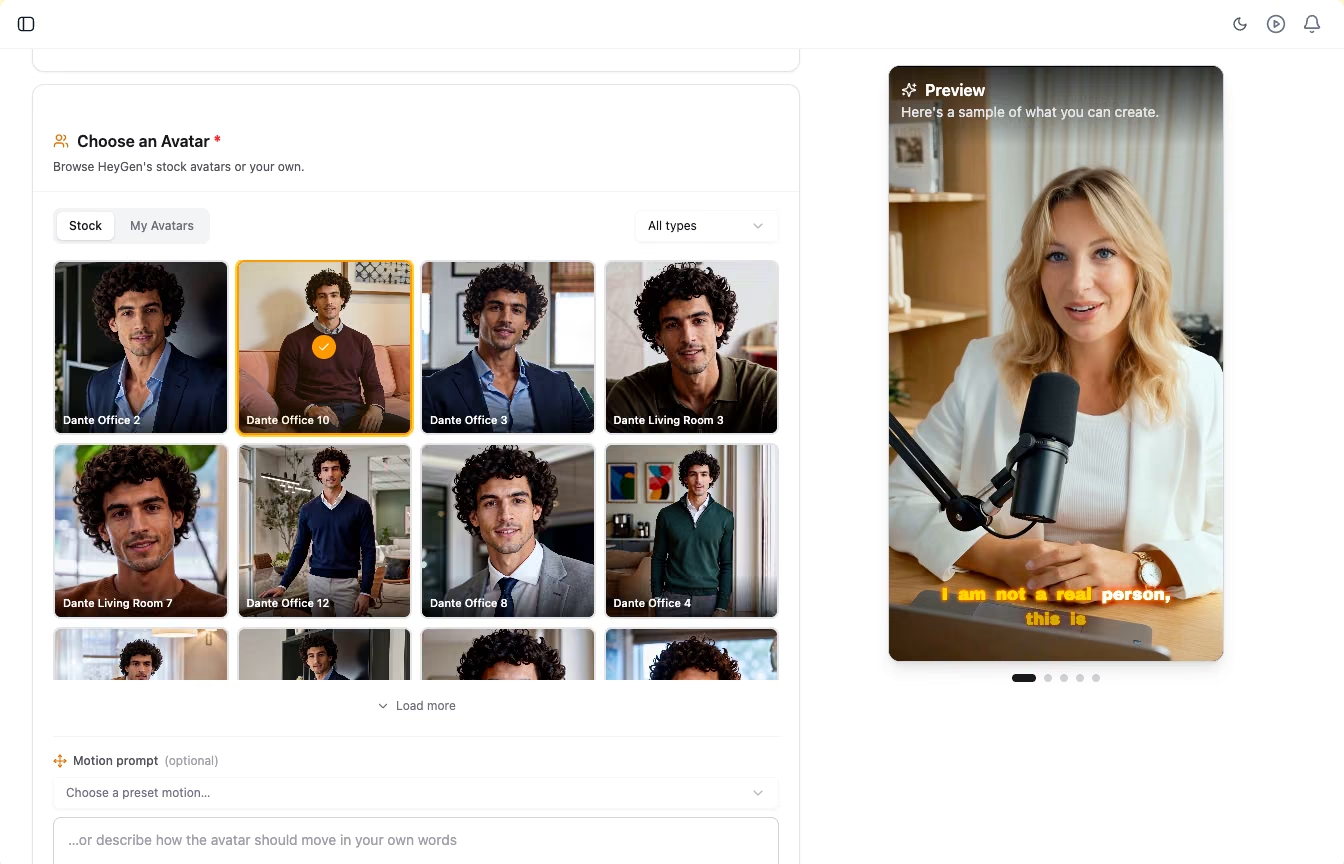
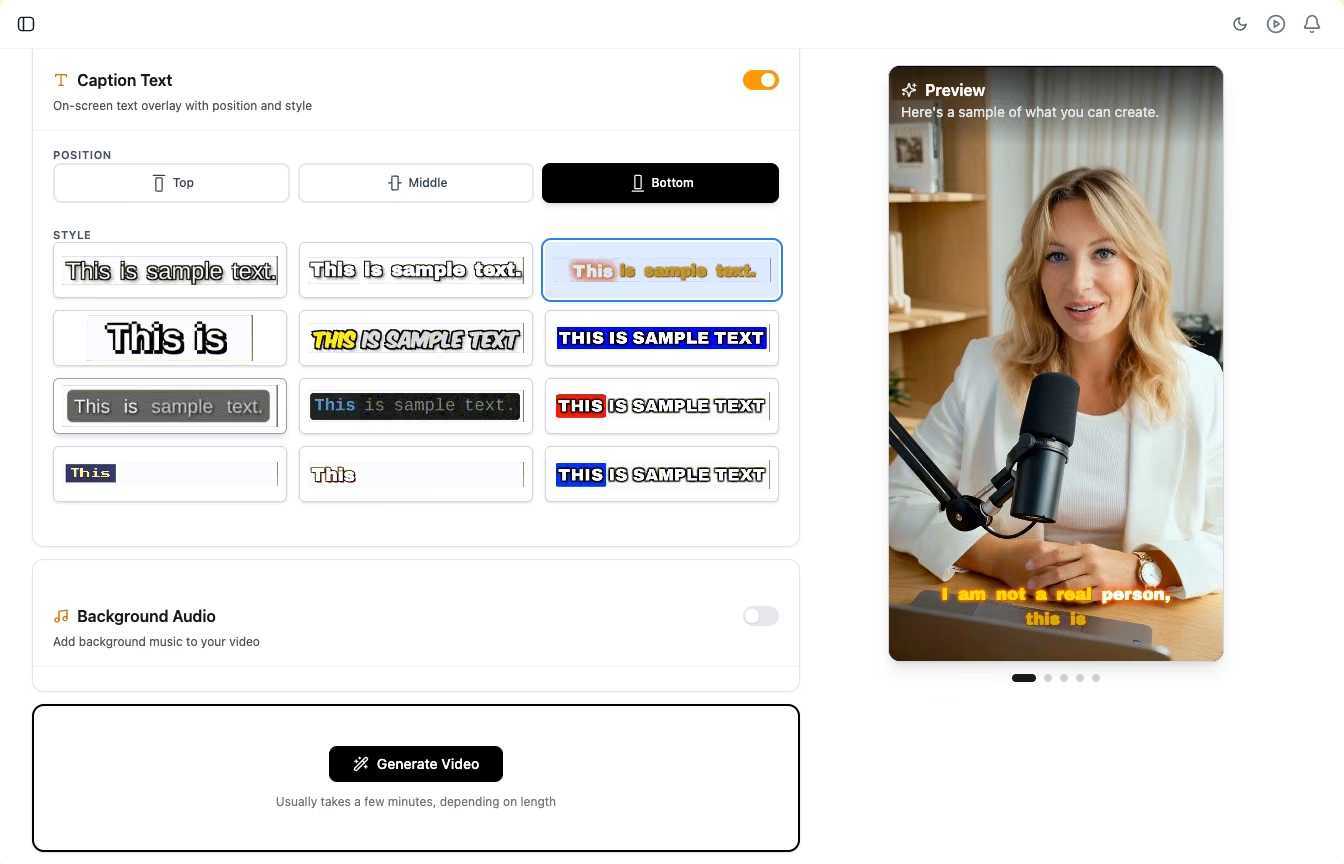
Pick a voice and the video language, then choose a caption style and position. Add background music if you want it.
- Choose a voice from the library, filtered by accent, language and gender
- Choose the language of the spoken script and captions
- 12 caption styles, placed at the top, middle or bottom of the frame
Generate, download or publish
Qten builds the finished talking avatar video with lip-synced speech. It is saved to your media library, where you can download it or publish it to your connected channels.
- Usually takes a few minutes, depending on length
- Uses credits from the same pool as the rest of Qten
- Change a line and generate again, with no new shoot
A presenter for every message
Anything you would say to a camera, without the camera, the lighting or the retakes.
Product and Marketing Teams
Introduce a launch or explain a feature with a consistent presenter, and update the script when the product changes instead of reshooting.
Educators and Course Creators
Turn lesson notes into presenter-led videos and reuse the same avatar across a whole course, in the language your students speak.
Creators and Small Businesses
Post regular short videos with a face on screen, and publish the same message in several languages by changing one setting.
Explore More Features
Discover other powerful tools in the Qten AI platform
Script to Video
Write your narration script, select your images, and let Qten generate a polished video with AI voice narration, word-level caption highlighting, and background audio.
Learn moreIdea to Video
Describe your idea and AI transforms it into a polished, video-ready script — then generates the full video with narration, captions, and background music.
Learn moreAI Prompts Library
Browse hundreds of ready-to-use prompts. Generate and edit stunning images using FLUX, Nano Banana and other leading AI models. Spark your next viral creation.
Learn more